
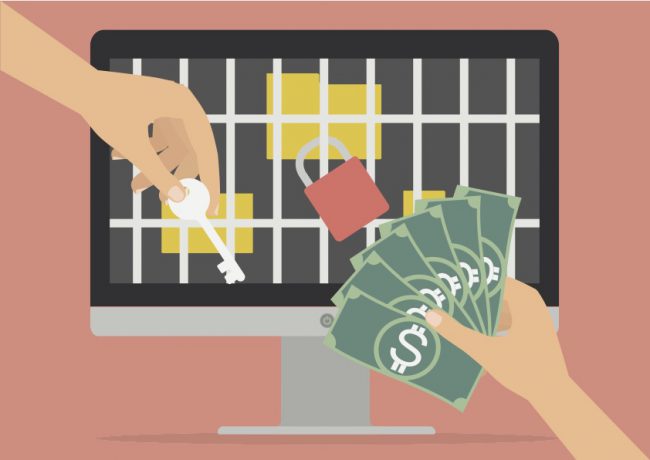
Much has been written about ransomware with some pretty devastating consequences. Microsoft has a good writeup here on ransomware. Basically you download a program either thru email or surfing the web that begins to change files on your computer to something that is unreadable. You have no idea it is happening until it is too late. There is no shortage of information about how it works but not much information on what happens if you HAVE to pay.
This three part blog series is about that process. As you’ll see, there are good reasons for paying and things that can be done to keep from having to pay in the first place.
A quick note to the “Don’t pay extortion” mindset. It’s a valid point. But and it’s a big but……….
What if your business needed access to the information and ground to a halt because your computer didn’t work? You can’t use Word, Excel, PDF, pictures, graphics, music and more. Your backups are suspect. Does your thought process change?
The Nightmare Begins
Our client called us late one evening stating they had been infected with ransomware. There wasn’t a specific name at the time but they discovered ransom notes being deposited in their Windows folders. The normal process is for the ransomware to finish visiting all of the folders and files before bringing up the ransom note as it needs to remain silent until it is done. In this case, it was still working when our client discovered it.
We arrived on site and performed all of the necessary steps to minimize the damage like disconnecting from the Internet and booting into safe mode. Unfortunately safe mode wasn’t coming up due to a graphics card issue which inhibited our attempts to stop the ransomware. So we decided to take the machine back to our office to troubleshoot further.
How Did It Happen?
Great question. We spent some time doing detective work on how. Even though there wasn’t enough time to make the exact determination, email attachments / phishing and web malvertising are two of the attack vectors ransomware uses. Malvertising is the use of online advertising that inadvertently delivers bad programs to your computer. You never see it coming. The program finds a vulnerability on your computer that you haven’t patched yet – Windows updates, Java, Adobe Flash and Reader and others. It installs itself or is just a conduit (exploit kit) for other programs to be installed. And then off it goes.
How Good Is Your Backup?
We talked about recovery options before leaving. It turns out that the last good backup was from the previous October which would only be a last resort. The good news is that at least a backup was done but we suspect it wasn’t as complete as it should be. Unfortunately the extortion came during their busiest time of the year where a great deal of work had already been done but not backed up.
By the way, this backup approach is pretty much the normal. People have less time these days and “backing up” is too often put off. Needless to say this ransomware completely disrupted the business and timing couldn’t have been worse.
Did I mention they didn’t have a recent backup?
Bitcoins
The ransom was $500 in bitcoin due within a week before it jumped to $1000. That seems expensive especially for a small firm but the options were few and far between. Time was of the essence.
What are bitcoins? Bitcoins are the digital currency of the Internet and are traded just like stocks meaning the price can go up or down. Unfortunately credit cards can’t be used which created another challenge. There is a specialized process that must be used to get them. More on that process in Part 2 of the series.
The Analysis
So our initial research suggested that it was Teslacrypt but what version? A new variant (think new and improved version) had just come out and it was at the top of our list. But how to tell definitively? Enter the Internet. Believe it or not, there is a web site courtesy of the Malware Hunter Team that helps you determine what the name of your ransomware is. There are two options – upload the ransom note or an actual encrypted file. We uploaded the ransom note (txt version) and the website told us it was TeslaCrypt 4.0. Now we can find out how it works on the computer and the steps necessary to remove it.
The Cloud (Dropbox) Wasn’t Safe
We also found out that the client used Dropbox and it has a folder on the computer that is then synchronized with the Cloud(Internet). Teslacrypt happily discovered the Dropbox folder and did its work there also encrypting the files. Dropbox then did its magic and duplicated the files to the Cloud which overwrote the “good” files with the “bad” files. FYI – Dropbox has the ability to restore from backups if necessary so we were comfortable that at least part of the encrypted files could be restored. Unfortunately the majority of the work wasn’t part of the Dropbox folder.
What We Know So Far And It Isn’t Pretty
So this is where we are at:
- Ransomware has infected the machine
- A majority if not all of the files are encrypted
- The business has stopped and must resort to manual processes
- Bitcoin is the payment currency
- Backups are not recent and what is available is only a last resort option (maybe)
- There are time deadlines that will not move
What Happens Next?
More surprises and setbacks are in store. Find out in Part 2.
I’ve been surfing online more than 4 hours today, yet I never found any interesting article
like yours. It is pretty worth enough for me. In my opinion, if all
web owners and bloggers made good content as you did,
the web will be much more useful than ever before.
Hi Jona – thank you for the kind words. The feedback is greatly appreciated. Be sure to sign up for for the next update. Part 3 is the wrap up and is coming mid week. Thanks again and have a great rest of your day.